Showing posts with label nodejs. Show all posts

Sunday, July 28, 2019

Google Cloud Build connect to VM on premise

GCP Cloud Build is so cool with 120 minutes free per day.

I want to use Cloud Build to execute a script to deploy a NodeJS project on my private VM.

Here is what i have done in my cloudbuild.yaml


steps:
# copy configuration bucket from GCS to cloudbuild
- name: gcr.io/cloud-builders/gsutil
  args: ['cp',
    '-r',
    'gs://${_GCS_CONFIGRATION_BUCKET}',
    '.']
# Set 400 to private key.
- name: 'kroniak/ssh-client'
  args: ['chmod',
    '400',
    '${_GCS_CONFIGRATION_BUCKET}/ssh/cloudbuild_id_rsa']
# ssh into remote instance and run a script.
- name: 'kroniak/ssh-client'
  args: ['ssh',
    '-i',
    '${_GCS_CONFIGRATION_BUCKET}/ssh/cloudbuild_id_rsa',
    '-o',
    'UserKnownHostsFile=/dev/null',
    '-o',
    'StrictHostKeyChecking=no',
    '-p',
    '${_SSH_REMOTE_PORT}',
    '${_SSH_REMOTE_USER_HOST}',
    '${_SSH_REMOTE_COMMAND}']
Because CloudBuild is stateless, you need to create your RSA keypairs and store the keys on a private GCS.


You need to add your RSA public key into ~/.ssh/authorized_keys on your server, tutorial here

And the script to pulling code and restart server.


#!/bin/sh
 
# It is good practice to print the required versions on server. 
# cause the code will execute in SSH non interactively mode.
# https://stackoverflow.com/questions/17089808/how-to-do-remote-ssh-non-interactively
 
echo "NodeJS: "$(node -v)
echo "NPM: "$(npm -v)
 
 
WORKSPACE=/working_directory/public_html
 
echo "Working directory: " $WORKSPACE
 
cd $WORKSPACE
 
git checkout develop
git pull -Xtheirs
 
echo "===================Install dependencies ==========="
npm install
echo "===================Finished install dependencies ========"
 
echo "RELOAD ENV"
pm2 reload $WORKSPACE/ecosystem.config.js production  --update-env

Here are example values of the variable.
_GCS_CONFIGRATION_BUCKET : my-private-bucket-configuration
_SSH_REMOTE_PORT :  2202 // hacker will sad.
_SSH_REMOTE_USER_HOST : aduckdev@8.8.8.8
_SSH_REMOTE_COMMAND :  /home/aduckdev/deployment_script.sh

Wednesday, December 5, 2018

How to deploy NodeJS ReactJS to AWS EC2

I am working on a web application, which BackEnd is in NodeJS, FrontEnd is ReactJS Single Page Web Application.

I want to deploy the application on AWS EC2, Here is how I did it.

2018-12-05-00-19-12
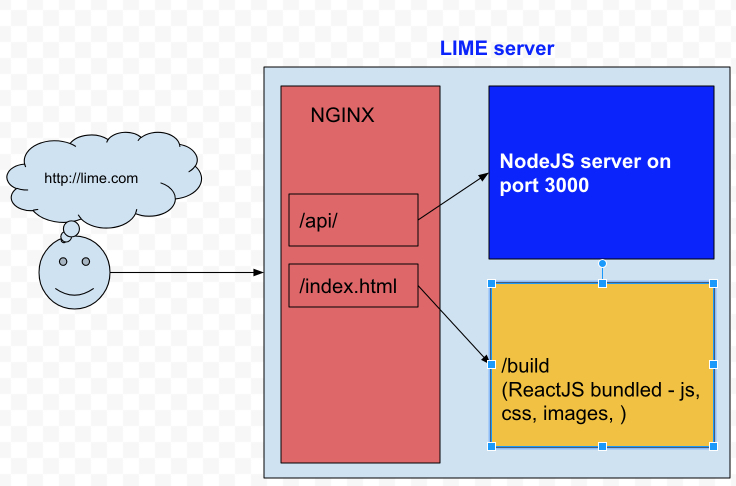
Client - Server overview

 NodeJS

node version : v10.13.0

npm version : 6.4.1

BackEnd application runs on port 3000

I use PM2 for  process manager for Node.Js http://pm2.keymetrics.io/

ReactJS

React-scripts : 2.1.1 is ReactJS development tool, also help us to bundle javascript, css, images... into a build folder.

NGINX

Version : nginx version: nginx/1.14.0 (Ubuntu) , to find ngnix version
Change  nginx default file: /etc/nginx/sites-enabled/default

1. Add proxy pass for API
location ~ ^/api/ {
   proxy_pass      http://127.0.0.1:3000;
}

to pass all API requests to NodeJS server.

2. Add root static folder
root /home/ubuntu/public_html/lime-fe/build;

To point default static folder to the build folder of react-script.

3. Also it is important to have

location / {
    try_files $uri /index.html;
}
4. Reload nginx sever:
 
# systemctl restart nginx
OR
# sudo systemctl restart nginx
5. Additional setups: - Remove nginx version
server_tokens off;
- Enable Gzip
        ##
        # Gzip Settings
        ##

        gzip on;
        gzip_disable "msie6";

        # gzip_vary on;
        # gzip_proxied any;
        # gzip_comp_level 6;
        # gzip_buffers 16 8k;
        # gzip_http_version 1.1;
        gzip_types text/plain text/css application/json application/javascript text/xml application/xml application/xml+rss text/javascript;


to let reactJS application handles the routing (URLs) instead of nginx.

Full configuration file.


Setup environment variables

~/.bash_profile

Some variables :

export NODE_ENV=production

To reload bash environment, using the command

source ~/.bash_profile

OR
. ~/.bash_profile

Some notes:

1. npm install without devDependencies:

If server setup with production mode on

NODE_ENV=production

, NPM install will ignore devDependencies

We can use npm install --only=dev or set NPM production.

to check if npm is in production mode , we can use the command:

npm config get production

To turn off production mode:

npm config set -g production false

2. pm2 doesn’t reload environment variables:

we need to use --update-env ,
e.g:
 pm2 reload sever --update-env

References

  1. How to install NodeJS and NPM : https://github.com/nodesource/distributions/blob/master/README.md

  2. How to install
    https://www.digitalocean.com/community/tutorials/how-to-install-nginx-on-ubuntu-16-04

  3. How to check Ubuntu version: https://askubuntu.com/questions/686239/how-do-i-check-the-version-of-ubuntu-i-am-running

  4. How to install MongoDB on Ubuntu: https://docs.mongodb.com/v3.2/administration/install-on-linux/

Sunday, August 5, 2018

Install NodeJS on Windows

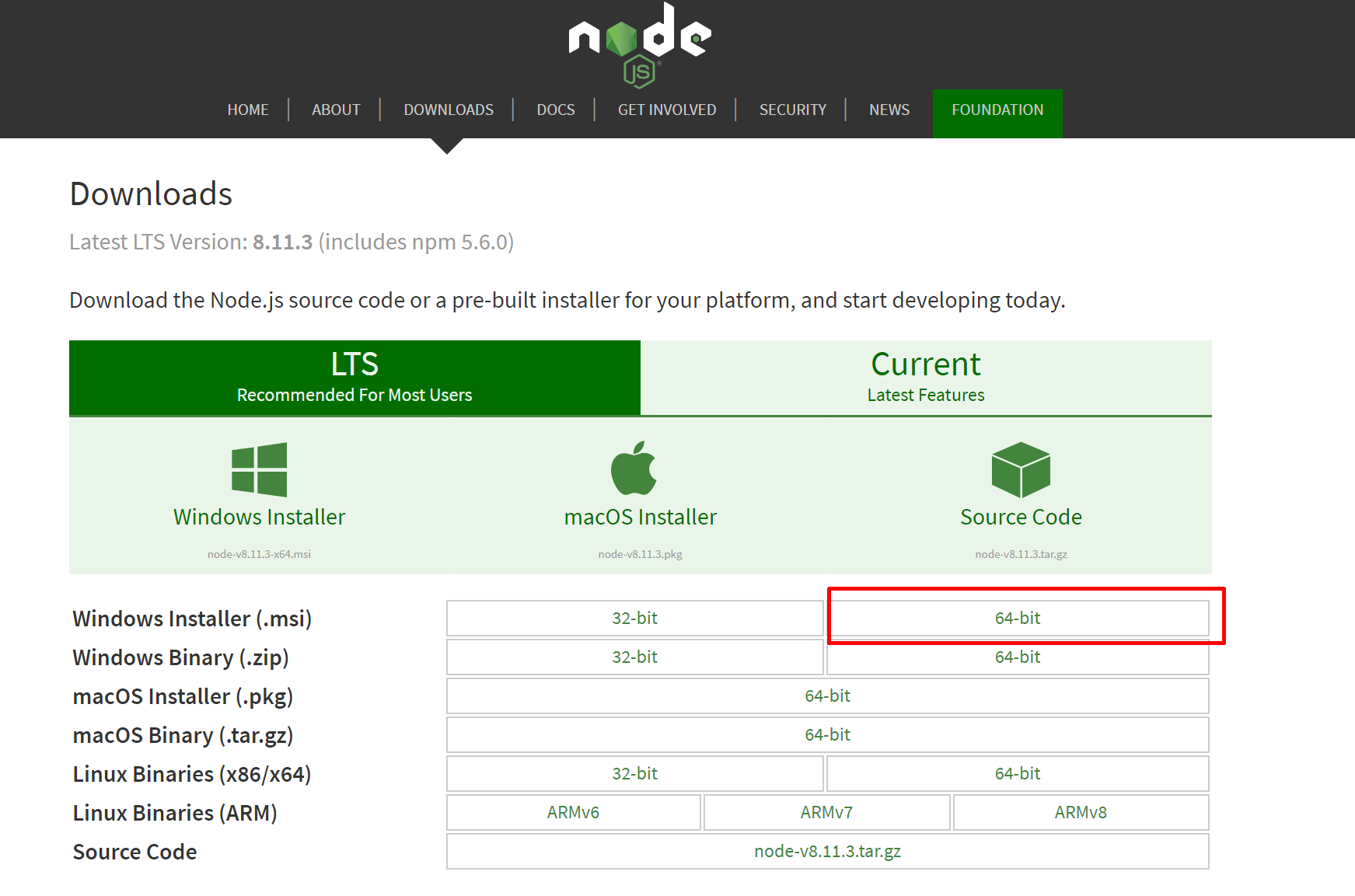
Step 1. Download NodeJS


Open: https://nodejs.org/en/download/

Screenshot_18
Download 64bit version

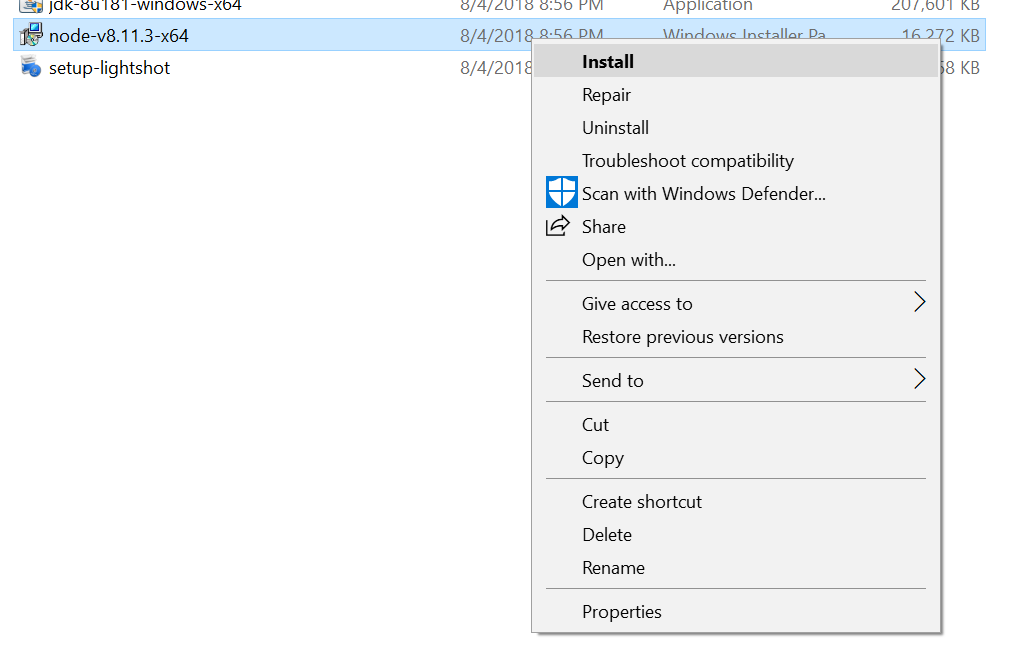
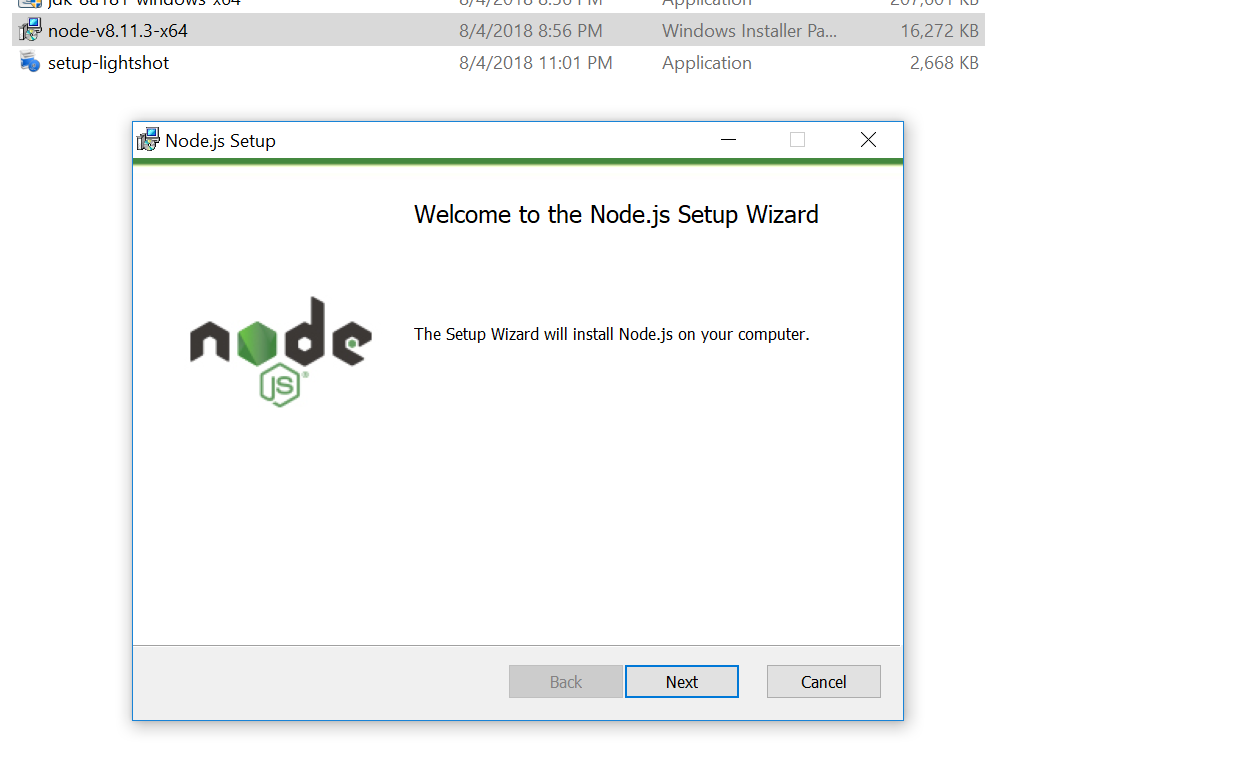
Step 2. Install the downloaded file


Install downloaded msi file

Screenshot_1 Right click on download msi file[/caption]
Screenshot_2
Click on Next, Next to install as normal application

Screenshot_3
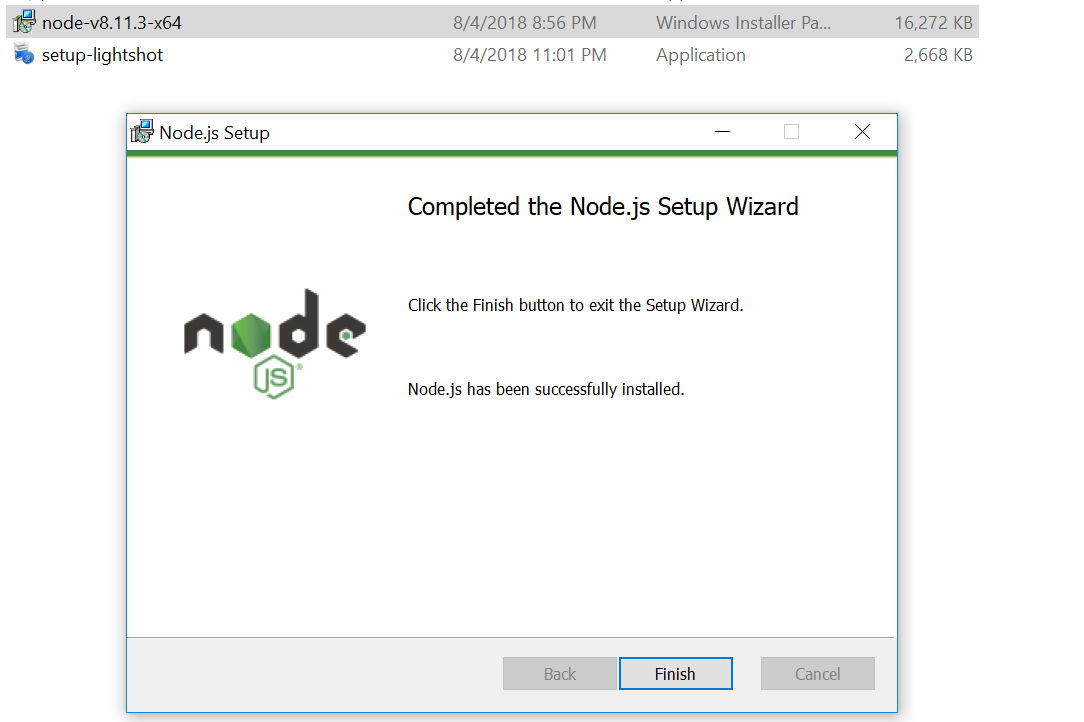
Installation successfully

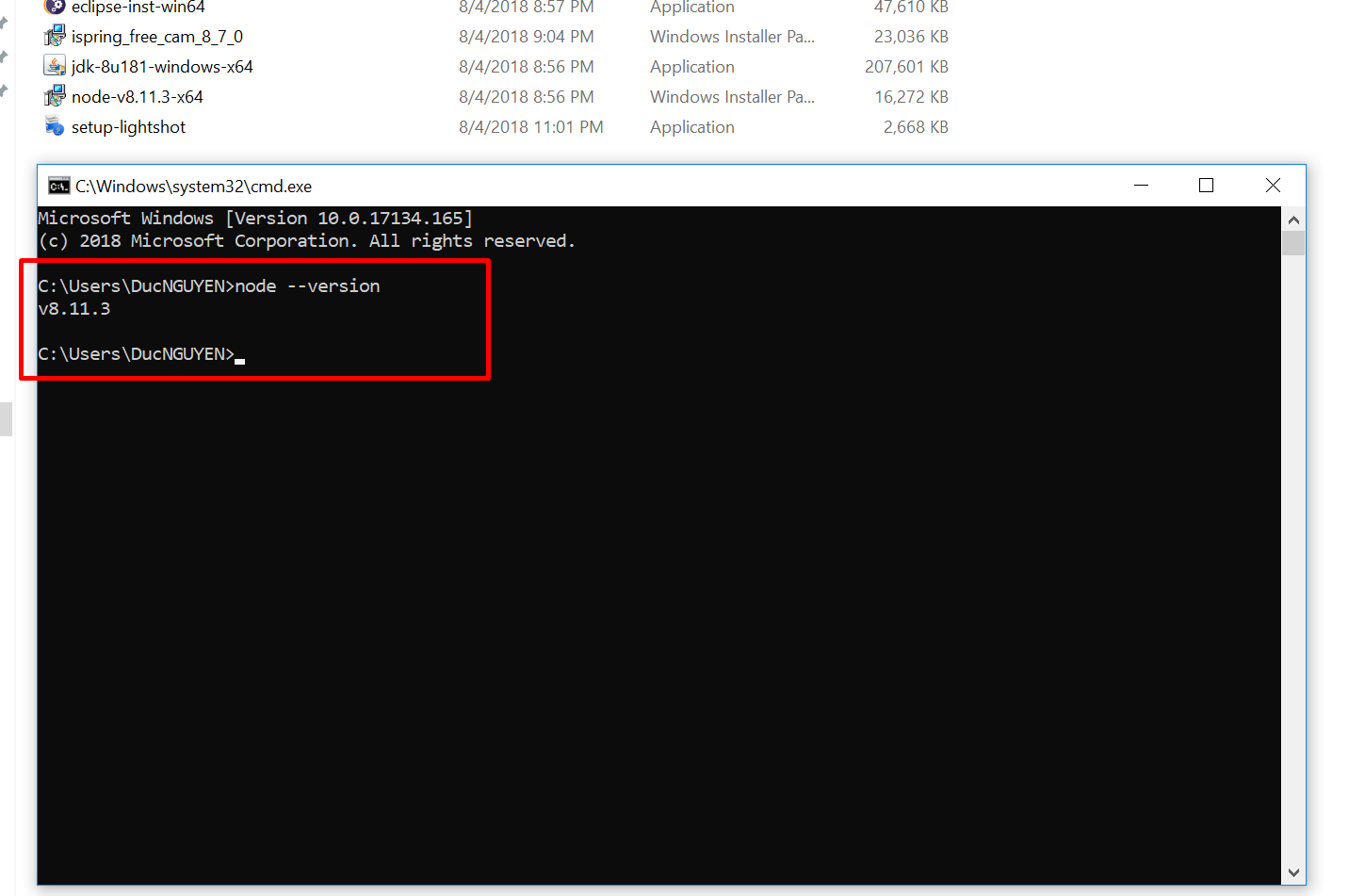
Step 3. Verify the installation


Screenshot_4
Open Command Prompt to check.

Congratulations

Tuesday, October 10, 2017

Replace bower by NPM

Here is what I did when I tried to replace Bower by NPM for
MEANJS-0.5.0

bower configuration:
[gist https://gist.github.com/vanduc1102/dd97c58d5900655acb98d45b1505fa12]

That mean all the frondend libs will store in public/lib folder.

Now after I moved all the libs to package.json,
Oops, there is a small change, angular-bootstrap in will change to
angular-ui-bootstrap with NPM

[gist https://gist.github.com/vanduc1102/fb18241724ed4aacb6b8afb7b3ba2e62]

And a new gulp task:
[gist https://gist.github.com/vanduc1102/a70ed41f476dd4b5c6465747b18f88ea]

Update package.json
[gist https://gist.github.com/vanduc1102/d10d0c99ec1b4281c6a321e2ff213c67]

Thursday, October 5, 2017

Javascript Promise chaining

Hi there here is the third post of Javascript/NodeJs callback.

We have an async task with Promise:

[gist https://gist.github.com/vanduc1102/d7c84cd605edf8d0faf1fb620556ba5f]

Create tasks function:

[gist https://gist.github.com/vanduc1102/d07c13973a4c3cda3973b12f6619f1b9]

Promise.all


execute all the promises at the same times, and resolve when all of the promises resolved

[gist https://gist.github.com/vanduc1102/8b85ee8ce42d23fb49ae9d165bb19794]

and reject when any of the Promise was rejected:

[gist https://gist.github.com/vanduc1102/09a90b3923ca1ba3d5d72630958e950a]

Promise.race


The Promise.race(iterable) method returns a promise that resolves or rejects as soon as one of the promises in the iterable resolves or rejects, with the value or reason from that promise.

[gist https://gist.github.com/vanduc1102/21ff8e6900ebfb1824c965fb1d654291]

Sequence Promises


Sometimes we need to do the jobs in sequences.
[gist https://gist.github.com/vanduc1102/5264a38f20f54d04360a191e53c5e7e3]

For promise functions with multiple parameters

[gist https://gist.github.com/vanduc1102/b15f3f2ff5733ebbc467464e96cdf2ea]


Online editor

https://repl.it/@vanduc1102/sequence-promises


Monday, October 2, 2017

Javascript Callback Hell and Promise

The last article with the callback, we use callback function to solve the issue with asynchronous in Nodejs/Javascript.
[gist https://gist.github.com/vanduc1102/5e2e7cea325e628ad91fa11f6170d7a1]

But life is not that easy; sometimes a task needs more effort to be done.
Let assumed our task splits into three tasks now:
[gist https://gist.github.com/vanduc1102/b63a58ef1751d231d9111339be09df46]

In other to finish a task we need a callback hell (http://callbackhell.com/):

[gist https://gist.github.com/vanduc1102/f679b6039afd1ba893b310ace5b93e87]

Gather all snippets together:

[gist https://gist.github.com/vanduc1102/b22979ea867d47777e413c0831402fef]

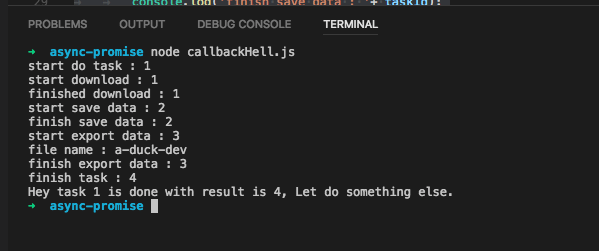
Result:

callbackHell.js

In reality, a task may need more and more sub-tasks, the nesting will be super crazy.

Now we speak about Promise. Let convert our simple task from callback to promise
[gist https://gist.github.com/vanduc1102/523f1ffb2dccb9cc80f49de2d79e5611]

And then we will use Promise chaining to solve the callback hell issue.

[gist https://gist.github.com/vanduc1102/0b03c51edd629f05e1ddec95c7a288a8]

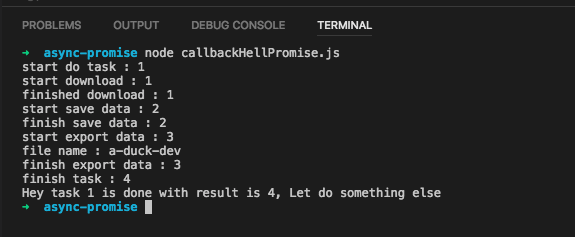
The result:

callbackHellPromise


Conclusion: To be honest I don't see my example has a clear explanation about Promise over Callback Hell, but you have to trust me, you will see Promise very helpful later.


NodeJS/Javascript callback

This article will show you the simple callback example.

Firstly, you have a task

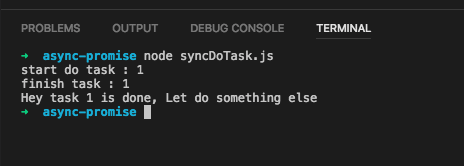
[gist https://gist.github.com/vanduc1102/7e3ece4d85fe7265406e61dfa54b337c]

Result:

asyncDoTask.js2017-10-02 12-56-12

The code is very simple, each line of code is executed line by line the result is predicted. But life is not that easy because NodeJS and Javascript are single thread

For the I/O tasks like make AJAX requests, read a file or saving user profile to database it will take a little of time to get the task done

We will have this kind of code:
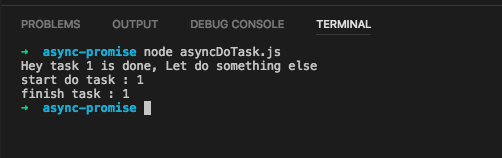
[gist https://gist.github.com/vanduc1102/540c1bd3a22ad26d83889456b3bc9cfa]

Result:

asyncDoTask.js2017-10-02 12-56-50

Oop! The result is out of control.

Now callback will help you.

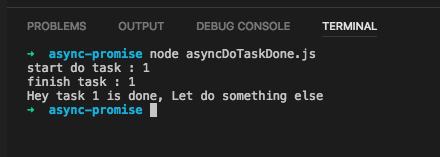
[gist https://gist.github.com/vanduc1102/5e2e7cea325e628ad91fa11f6170d7a1]

asyncDoTask.js2017-10-02 12-57-16

That is the very first sight about callback.